


Poentiostats/cycling Software Squidstat
Squidstat User Interface (SUI): Data acquisition and control of experiments
Swipe down or click the buttons below to learn more about our software.
SUI is an operation software for electrochemical experiments, with a focus on modern usability and quick workflow (ready experiments, customization and multi-channel viewing).
Squidstat user Interface (SUI)
Contemporary Design / customization by Drag & Drop / Backup Data


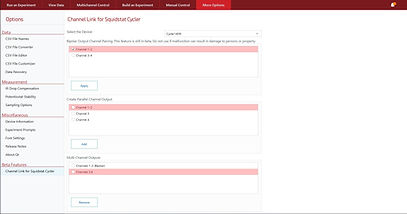
Main Features of the SUI
Quick selection of a wide variety of pre-configured methods.
Mount customized sequences/routines according to your protocol.
Track data from a channel or multiple channels simultaneously.
Exploration feature for rapid testing and adjustments during development.
Designed to control dozens of channels simultaneously (depending on the model).
Features to reduce the risk of data loss due to interruptions.
Note: Availability of resources may vary depending on model, version and compatibility of the equipment.
Supported Electrochemical Experiments (Public List)
- Battery Capacity
- Charge / Discharge (Constant C / Constant V)
- Charge / Discharge (Constant R / Constant P)
- ChronoampPerometry
- Chronopotentiometry
- Cyclic VoltaMetry (CV)
- Differential Pulse VoltaMetry (DPV)
- Galvanostatic EIS (GEIS)
- Potentiostatic EIS (PEIS)
- Galvanostatic Intermittent Titration Technique (GITT)
- Linear Sweep Voltammetry (LSV)
- Mott-Schottky (Single-Frequency and Multi-Frequency)
- Normal Pulse Voltaammetry
- Open Circuit Potential Monitoring
- Potentiostatic Intermittent Titration Technique (PITT)
- Rotating Ring Disk Electrode (RRDE)
- Square Wave VoltaMetry
- Staircase VoltaMetry
There are also .csv data output options and advanced settings for experienced users.
Downloads and Official Features
The official page lists SUI installers for PC, Mac and Linux, as well as utilities and quick guides.
Open Official Software Page
Version v2025.08.13 (released in 14/08/2025).
The page also references a “SquidstatAPI” and SUI + API compatibility for serial numbers Above 1100.
Practical Tip (NuvemShop): If you cannot host installers, use the button above pointing to the official download and keep this page as “General View + Comparison + Contact.”
Do you want quotation, demo or application guidance?
LabSolutions can help specify the ideal set (instrument + software + accessories) and the training scope.
If you prefer, I can adapt this HTML to your CloudShop theme (colors, typography, buttons and CTAs).

